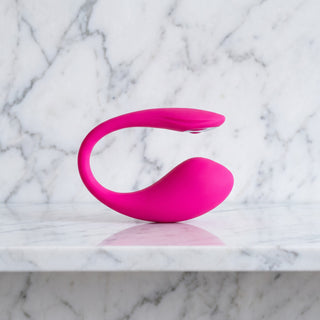
This vibrator has been on the market for quite a while now and became well known because 'camgirls' use it. These webcam models link the Lush to a payment option. With every donation, the Lush then vibrates harder or in a different way. Lovense even makes its own software for that.
But if you are simply looking for a good, fun toy to enjoy together, one you can use remotely, this Lush 4 is well worth recommending too. Once the egg has been inserted, you or your partner can control the vibrations. That works in the same room, but also over a long distance. Fun when your partner is travelling, or lives in another city or country. Not sure yet whether an egg is the right choice? In our buying guide for a vibrator with app or remote control you will also find toys to use during sex, toys for him and models without an app.
Charge the Lush fully first: switch it off and click the magnetic cable onto it. It is full after about 50 minutes.
Hold down the button on the tail for three seconds until the light flashes. A short tap on the button changes the vibration, even without the app.
If you would like more settings or your own patterns, connect it in the Lovense Remote app: tap the connection icon and the plus sign.
Put some water-based lubricant on the egg and insert it. The tail stays outside and rests over the pubic mound.
Let the Lush vibrate along to your music, or create your own pattern in the app.
Switch the Lush on and connect it in the Lovense Remote app on your own phone.
The easiest way: hand your phone to your partner, who can then adjust the vibrations with the slider or choose a pattern.
If your partner would rather use their own phone, add each other as friends in the app and give your partner control.
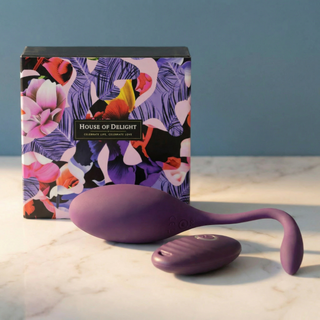
If you are together and would rather not have a phone in your hand, an egg with an ordinary remote control is the easiest option.
Both of you install the Lovense Remote app and both of you create an account. Your partner does not need a toy of their own.
Connect the Lush in the app on your own phone, not through the Bluetooth settings.
Your partner opens your chat and taps Live Control (to control it live). As soon as you accept the request, he or she controls the vibrations, from anywhere in the world.
Try it out together at home first. In the app you can also send each other messages, call and video call.
Try it at home first, so you know how it sits and which setting you find pleasant.
Charge it fully beforehand. On the lowest setting it lasts around five hours, on setting 3 a little over two hours.
Choose a busy restaurant rather than a quiet one: in a quiet room you can hear it faintly at full power.
If your partner controls it from a distance, that works over the internet with Live Control. Your partner will then need their own phone with the app.
The Lush is not made for anal use. Lovense strongly advises against it for the Lush 3 because it has no flared base, and the Lush 4 has the same shape.
For anal use, choose a toy with a flared base, so that it cannot slip inside.
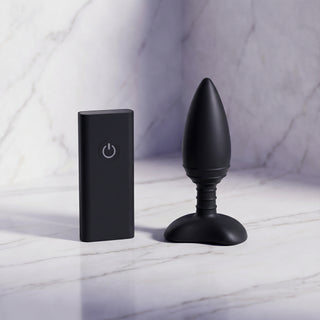
A butt plug with an app or remote control offers the same kind of play, with a base that stays outside.
Hold down the button for 5 seconds. If nothing happens, try 10 and then 15 seconds. Some toys have a travel lock.
Clean and dry the charging contacts, switch it off and leave it on the magnetic cable overnight.
Check that the magnet on the cable clicks firmly into place, and try a different USB port or adapter. The light is red while it is charging.
If it still does not work after that, please get in touch with us. You have a one-year warranty.
Never pair the Lush through your phone's Bluetooth settings. Pairing only works in the Lovense Remote app, without a pairing code.
Switch it on until the light flashes, turn on Bluetooth and tap the connection icon and the plus sign in the app.
A Lush can only be connected to one phone at a time. If it is still connected to another device, disconnect it there first.
Move your phone closer. Under water the connection is not stable.
Check whether the app offers an update for the Lush: an update like that can improve the connection.
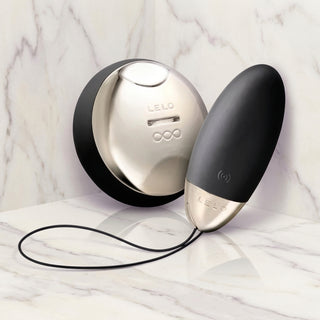
If an app is not really your thing, an egg with an ordinary remote control may suit you better.
Check that the Lush is connected in the Lovense Remote app on your phone, and not in the Bluetooth settings.
You need to have added each other as friends first, on the Long Distance tab (for remote play), each with your own account.
Your partner sends a request with Live Control (to control it live). Only once you accept it can he or she take control.
Start on a low setting, because the vibrations are powerful.
Your partner controls it remotely
You both need a stable internet connection, via wifi or 4G or 5G. You can pause at any time.
If it feels uncomfortable or it hurts, take it out.
Anal: choose a different toy
Use plenty of water-based lubricant, start small and stop if it hurts.
Always charge a new Lush fully before using it for the first time.
Handy to have at home
You both need a stable internet connection.
If you are sitting next to each other, your partner can also simply pick up your phone.
In the same room? A remote control is the easiest option