The short answer

The Lovense Lush is a vibrating egg with a thin tail. You insert the egg, while the tail stays outside and keeps it in place. You control it with the button on the tail or with the free Lovense Remote app. With the app, your partner can also control the vibrations: next to you via Bluetooth, and over the internet from anywhere in the world.

The current model is the Lovense Lush 4, the successor to the Lush 3. If you have a Lush 3, the app works in the same way. Nicole and Arjan tested the Lush 4 for us and gave it five stars: quick to connect, very powerful and not entirely silent.

What would you like to do with the Lush? Choose it in our step-by-step guide and see what to do, one step at a time.

With the Lovense Lush, you don't have to decide for yourself when the egg starts to vibrate.

Most vibrators are operated with buttons on the vibrator itself. There are also vibrators that can be controlled with a remote control. But there can be advantages if the controls can also be operated with an app on a smartphone. That way, someone else can take over the controls, even from a (great) distance, and so even from another continent.

The Lovense Lush is one of the best-known remote-controlled egg vibrators.

Step-by-step guide

What would you like to do with the Lush?

Choose what you want to do, and you will see how it works in a few steps. If something doesn't work, the guide helps you find where it goes wrong.

1. What would you like to do?

The helper shows today's price.

What is the Lovense Lush?

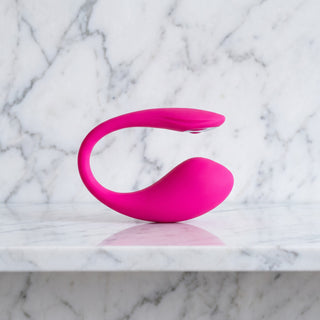
The Lovense (not Lovesense) Lush is a powerful vibrating egg that you insert and that can be controlled from a distance.

There are several versions. After the first Lush came the Lush 2 and the Lush 3, and now there is the Lush 4. With each version the quality gets a little better again. A lot of work has gone into connectivity in particular, so that the connection with the app stays stable. The Lush 3 was also part of our own test of vibrating eggs, where it scored a 9.5 for power.

This vibrator has been on the market for quite a while now and became well known because 'camgirls' use it. These webcam models link the Lush to a payment option. With every donation, the Lush then vibrates harder or in a different way. Lovense even makes its own software for that.

But if you are simply looking for a good, fun toy to enjoy together, one you can use remotely, this Lush 4 is well worth recommending too. Once the egg has been inserted, you or your partner can control the vibrations. That works in the same room, but also over a long distance. Fun when your partner is travelling, or lives in another city or country. Not sure yet whether an egg is the right choice? In our buying guide for a vibrator with app or remote control you will also find toys to use during sex, toys for him and models without an app.

The pink Lovense Lush 4 against a stylised pink shape, with the letter G above the egg

Shape

This remote-controlled toy is a handy little egg vibrator with a rounded part and an antenna. The rounded part is designed for internal use, while the antenna stays outside the vagina to establish a good Bluetooth connection when the Lovense Lush is controlled by a mobile phone.

The rounded part is curved to reach the G-spot better, while the strong vibrations stimulate the whole vaginal area. The tail of the Lush 4 is more flexible than that of the Lush 3, yet still keeps the egg nicely in place. An earlier version of this blog stated that the egg is about 3.5 centimetres thick and 8 centimetres long, with a 12 centimetre tail; that referred to an older model. For the Lush 4, Lovense does not give any measurements, only the weight: 75 grams. The egg is made of silicone, free of phthalates.

The control button is on the tail. Hold it down for three seconds and the Lush switches on or off; a tap switches between vibrations, even while you are wearing it. The tail also contains a light, which you can adjust or switch off in the app.

Nicole, who tested the Lush 4 for us together with Arjan, puts it more briefly: “It's a sort of egg with a long tail. The tail has an antenna in it that takes care of the connection.”

How does the Lovense Lush work?

So the Lovense Lush consists of two parts: the rounded part that you insert, and the antenna that stays outside and ensures a strong Bluetooth connection with your phone.

Use a little lubricant to make inserting the rounded part a bit easier. Choose a water-based lubricant, such as our Hydra+: it works well with silicone. The little tail (which contains the antenna) is fairly thin, so you can wear it discreetly. The tail bends slightly but stays nicely in place. It rests over the mons pubis and the clitoris. Always keep the tail on the outside.

Once the egg is inserted, you can lie down, stand, sit or walk and you will hardly notice it is there. Until the vibration starts, of course. You do feel the tail. “You can feel it there, but it isn't uncomfortable; it's more a reassurance that everything is properly in place,” says Nicole.

The vibration can be started in two ways: with the button on the tail (which also lets you simply use the Lush on its own as a vibrator) or with the app.

How do you connect the Lush to the app?

You do this in the Lovense Remote app, not in your phone's Bluetooth settings; no pairing code is needed. Switch the Lush on, tap the connection icon and then the plus sign in the app, and as soon as the light stays on, it is connected.

  1. Download the Lovense Remote app from the App Store or Google Play and create an account.
  2. Hold down the button on the tail for three seconds. The light starts flashing: the Lush is on.
  3. Turn on Bluetooth on your phone and open the app. Tap the connection icon at the top right, then the plus sign.
  4. The app searches for the Lush. If the light then stays on, it is connected.

For Nicole and Arjan this went smoothly. Nicole: “Even when we were on different floors, the connection stayed stable. The connection with the app was made within five seconds.”

You can control not only when the vibrations start and stop, but also their intensity. You can switch between ten different patterns and settings. On top of that, the Remote app offers some fun features, such as vibrating in time with music.

All these features can lead to hours of pleasure, because on its lowest setting the Lush 4 lasts around five hours before the battery needs recharging. On setting 3 it lasts just over two hours.

Can I use the Lovense Lush over a long distance?

Yes. As long as you both have an internet connection, via wifi or via 4G or 5G, your partner can control the Lush from anywhere, even from another country. Your partner doesn't need a toy of their own: the Lovense Remote app and their own account are enough.

You can also invite your partner so that you can both control the app. The nice thing about the invitation feature is that the app can also be controlled remotely. As long as the Lush is switched on, your partner can control the vibrator from their smartphone wherever they are, provided there is an internet connection. Handy for long-distance relationships, for example, but also exciting when you don't know when your partner will start the vibrations.

How to give your partner control

  1. You both install the Lovense Remote app and each create an account.
  2. Connect the Lush in the app on your own phone, as described above.
  3. Add each other as friends on the Long Distance tab.
  4. Have your partner tap Live Control in your chat, or invite him or her to do so yourself. As soon as the request is accepted, he or she controls the vibrations.
  5. You can always pause the game yourself or take back control.

This is how Nicole and Arjan do it: “We use the Lush as a kind of seduction game.” Nicole puts it in, and Arjan switches it on while he is on his way home from work. That way the game begins before he is even through the door.

How much noise does the Lovense Lush make?

Not much, but it isn't silent. Lovense states 36 decibels for the Lush 4, but that is the minimum, on the lowest setting (source). At full power you can hear it faintly in a quiet room; Nicole and Arjan noticed that too.

This article previously said that the Lush makes only 43 decibels even at its highest speed, as quiet as a whisper. We cannot find that figure anywhere at Lovense, and it isn't that quiet at full power. Once the egg is inserted, of course, you hear even less of it.

Powerful vibration, with a little noise

That noise comes with the power. In our egg vibrator test we already wrote about the Lush 3: “This Lush is not whisper-quiet.” The vibrations are deep and rumbling, what we call rumbly: you feel them well beyond the surface.

The different settings let you vary the speed of the vibrations, from gentle to strong. Start low, because the Lush 4 is powerful. Nicole: “The vibrations feel very powerful, but they're easy to turn down to a calmer level. That's definitely where you should start.”

Mood image: busy restaurant in the evening, with two wine glasses and a phone in the foreground

Can you use the Lush in public?

If you enjoy a bit of adventure, you can also switch on the Lush in a public place, such as a restaurant. Do choose a busy restaurant rather than a quiet one. Nicole and Arjan think the sound wouldn't be noticed in a noisy setting, although they haven't tried it themselves yet. And the phone in your hand certainly won't draw attention. “These days everyone has their phone in their hand, so nobody notices if you use this toy when you're out,” they write.

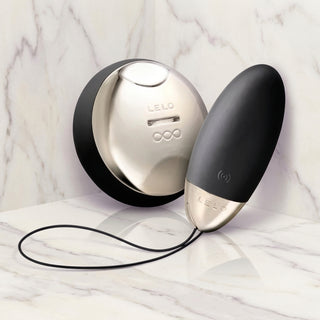
“But if you want something super quiet, this isn't the one for you,” says Nicole. In that case, take a look at the Lyla 2 by Lelo, the quietest egg in our test. You control it with a remote control, up to twelve metres away.

Extra features

The Lovense Remote app can do much more than switch on and off. Our favourites:

  • You can send each other chat messages or call through the accompanying app, and calls can now include video, all while the Lush stays connected.
  • You can create your own patterns and programmes. Short on inspiration? Other users share more than two million of them.
  • The Lush can also respond to sound and music, and even to your voice. Spotify only works with Premium on an iPhone.
  • You can set the light in the tail yourself, or switch it off.
  • If your partner also has a Lovense toy, such as the Edge 2 for men, you can pair the two in the app and one of you can control both at the same time, even from a distance. The Edge 2 is very powerful, though, and better suited to those who already have some experience.

Using it as an alarm clock, as this article used to mention, is something we can no longer find in the current app description. You will find more toys that work with an app in our app-controlled toys. Our advice: simply start with the slider in the app. The rest will follow naturally.

What is the difference between the Lush 3 and the Lush 4?

The Lush 4 has a larger battery, a light in the tail that you can set yourself, a faster connection to the app and a few extra settings. If you already have a Lush 3, upgrading is probably not worth the money. If you don't have a Lush yet, the Lush 4 is the model to choose.

Side by side, with Lovense's figures:

FeatureLush 3Lush 4
PlaytimeUp to 220 minutes.Up to 350 minutes.
ChargingAbout 85 minutes.About 50 minutes.
Light in the tailNo.Yes, adjustable or can be switched off.
TailStiffer.More flexible.
Bluetooth, outdoorsUp to 75 metres.Up to 105 metres.
WaterproofYes, IPX7.Yes, IPX7.
At our shopNo longer available.Lush 4 available.

The shape, the silicone, the deep vibrations and the app all stay the same. So everything here about connecting and playing at a distance also applies to your Lush 3, and the app works just the same with a Lush 2. The only difference is that a Lush 3 doesn't last as long: we previously said around five hours here, while Lovense states 220 minutes at most.

Does it not have to be a Lush? You can also control the Magic Motion Flamingo and the Svakom Phoenix Neo 2 with a button or an app, and remotely over the internet. In our egg test, the Flamingo actually did slightly better than the Lush 3, although its app is in English only and it sometimes falters. You'll find more eggs among our vibrating eggs.

Can the Lush be used anally?

No, the Lush itself isn't designed for that. A reader asked us about it below this blog, and Lovense is clear on the matter: for the Lush 3, they strongly advise against anal use, because it has no flared base (source). The Lush 4 has the same shape: an egg with a tail. For anal play, choose a toy with a flared base, so it can't slip inside.

The Lovense that is suitable for anal use: the Edge 2. Among others, Lovense itself recommends the Edge 2 for anal use, and we stock it too. The Lovense Edge 2 is a prostate massager for men: the head goes inside, while the base stays outside and rests against the perineum. You control it with the same Lovense Remote app as the Lush, including at a distance. We do find it very powerful, so it's better suited to those who already have some experience.

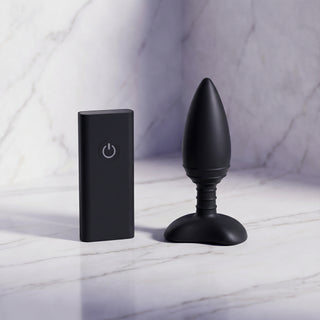
Would you prefer a butt plug, for her or for him? Then the We-Vibe Ditto+ is a lovely choice: a small plug with a wide, flexible base, which you can control with the button, a remote or the app. Mariella tested it for us in our test of vibrating butt plugs. The Nexus Ace Small has a wide, flat base and a remote control with a range of about eight metres. If you're new to anal play, start with one of the butt plugs for beginners, with plenty of water-based lubricant.

Charging, cleaning and safe use

Charge the Lush fully before you use it for the first time. Switch it off, click the magnetic cable into place and plug it into a USB port or adapter; after about 50 minutes it's fully charged.

It's waterproof, so you can simply clean it under the tap: warm water and a mild, unscented soap, or a few sprays of our Cleaner, which you then rinse off. Let it dry thoroughly before you put it away.

Stop if your skin becomes irritated or if it feels uncomfortable, and don't use it on broken skin or if you're allergic to silicone or ABS. If it hurts or your body reacts differently than you expect, stop immediately and ask a doctor for advice. If you're pregnant, have recently given birth or have a medical condition, check with your doctor first.

If you have a pacemaker, an ICD (an implantable defibrillator) or another electronic implant, don't use a Lovense toy: some toys and charging cables contain magnets that can interfere with such a device. If your partner or someone else near you has such an implant, keep the Lush and the cable at least 15 centimetres away from them. Never place them over the site of the implant.

The Empress's encore

Start at home. Put the Lush in, put on a film and hand your partner your phone. Don't agree on when; that's exactly what makes it fun. If you enjoy it, an evening out is the next step. Nicole and Arjan still have that on their list. And if it all gets a bit much, simply ask for a break.

Frequently asked questions

Answers to your questions ClickTap on a question for the answer
What is a Lush?

A Lush is a vibrating egg from Lovense, also known as the Lush vibrator or Lush toy. The egg goes inside, while the thin tail stays outside and keeps it in place. You control it with the button on the tail or with the free Lovense Remote app. With that app your partner can control the vibrations too: up close via bluetooth, and over the internet from anywhere. The current model is the Lush 4.

What is Lovense?

Lovense is the brand behind the Lush: a maker of toys that you control with their own app, with the emphasis on long-distance use. The Lush is their best-known vibrating egg.

Which app do you need, and is it free?

You use the Lovense Remote app, free from the App Store or Google Play. In the app you create an account and connect the Lush; no pairing code is needed. If your partner wants to control it remotely, they install the app as well and create their own account. Your partner doesn't need a toy of their own for this. The app works in exactly the same way with a Lush 3 or a Lush 2.

Does the Lush work with a remote control?

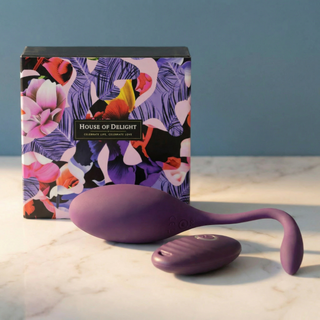
No, the Lush 4 doesn't come with a remote control. You control it with the button on the tail or with the app, and your partner uses the app on his or her own phone. If you would rather have a regular remote control, choose an egg such as the Sinistra or the Lyla 2.

Which phone or computer do you need?

An iPhone with iOS 15 or newer, or an Android phone with Android 6.0 or newer and bluetooth 4.0. The app also works on a Mac with bluetooth 4.0. A Windows PC needs the Lovense USB bluetooth adapter.

Can you also use the Lovense Lush anally?

No. The Lush is not designed for anal use: Lovense strongly advises against it for the Lush 3 because it has no flared base, and the Lush 4 has the same shape. Without a flared base, a toy can slip inside. If you want a Lovense for anal play, choose the Lovense Edge 2: a prostate massager for men that you control with the same app. It is very powerful, though, so it's better suited to those who already have some experience. If you are looking for a butt plug, for her or for him, the We-Vibe Ditto+ with its wide, flexible base is a lovely choice.

How long does the Lush 4 battery last?

About five hours on the lowest setting, and just over two hours on setting 3; Lovense itself quotes up to 350 minutes. Charging takes about 50 minutes: switch it off, click the magnetic cable onto it and plug the cable into a USB port or adapter. Charge it fully before using it for the first time.

Can you take the Lush in the shower?

Yes. The Lush 4 is waterproof (IPX7), so you can take it into the shower or bath; Nicole and Arjan tried it in the shower. Under water, however, the connection with the app is not stable.

Can a stranger take control of my Lush?

Not just like that. Only someone you have given permission can control it remotely, such as a friend whose request you accept, or someone you have shared a control link with yourself. You can always pause the session or take back control, and you can block someone too.

Is the Lush 4 worth buying?

Yes, if you are looking for an egg that you and your partner can control with an app, including from a distance. Nicole and Arjan tested the Lush 4 for us and gave it five stars: connected within five seconds, a stable connection across two floors, and very powerful, so start low. Two caveats: it isn't completely silent, and if you already own a Lush 3, upgrading is probably not worth the money.

Earlier comments

Jimmy · Fri, 01/09/2026 · 12:26

Can it also be used anally?

Sources and accountability

Based on information from Lovense and on our own product page and test reports. What you can and cannot do with your own Lush is set out in the user manual; the recommendations are our own advice.

  1. Lovense. Frequently asked questions about the Lush 4. view source
  2. Lovense. User manual for the Lush 4. view source
  3. Lovense. Product page for the Lush 4, with specifications and a comparison with the Lush 3. view source
  4. Lovense. Frequently asked questions about the Lush 3. view source
  5. Lovense. Frequently asked questions about the app and safe use. view source
  6. Lovense. Explanation of Live Control in the app. view source
  7. Lovense. Page about the Lovense Remote app. view source
  8. Apple App Store. The Lovense Remote app. view source
  9. Google Play. The Lovense Remote app. view source
  10. Lovense. Comparison of the Lush 3, Lush 4 and Lush Mini. view source
  11. Lovense. Page for webcam models. view source
  12. The Violet Empress. Product page and test report: Lovense Lush 4 (Nicole and Arjan), the Lovense Edge 2 (Timothy) and our test of vibrating eggs (Lush 3).

Last updated on 29 October 2026.

Leave a comment

Note: Comments must be approved before they are published.